Ordinalized Data Groups
The ScanCom EIE includes several data groups whose Data Group Properties dialog box includes both a data group ordinal field (for example, Run# in the image below) and a ScanCom Ord field. The data group ordinal field can be used to ordinalize a data group in a number of ways; in the image below, it associates a data group with its respective meter run. The ScanCom Ord field applies to any ordinalized data group that includes ScanCom meter ordinal information. This will exclude all FMS data groups.
|
ScanCom Data Group Properties |
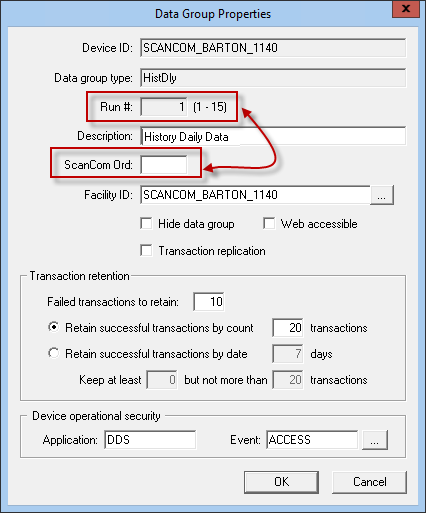
You must assign the data group a data group ordinal. However, the data group might or might not need to be assigned a ScanCom Ord number. If the data group ordinal for a data group is not the same as the ScanCom meter ordinal that represents the source of the data group's data, specify a ScanCom Ord value. Otherwise, leave ScanCom Ord blank to default to the value assigned to the data group ordinal.

